Take control of your privacy with our latest feature: Account-Wide End-to-End Encryption (E2EE). This powerful addition to Privacy Portal provides comprehensive protection across your entire account, encrypting sensitive information on your device before it ever reaches our servers, ensuring that even we cannot access your private data.
What is End-to-End Encryption?
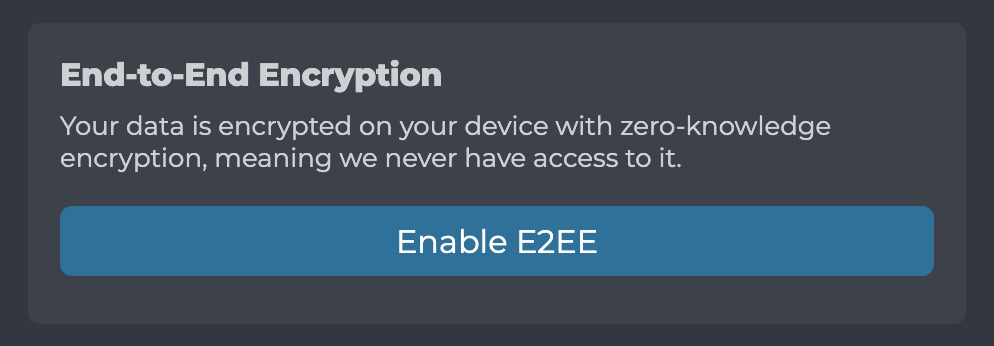
End-to-End Encryption is a security method where data is encrypted on the sender’s device and can only be decrypted by the intended recipient. In the context of Privacy Portal, this means you can encrypt sensitive fields across your account directly on your device, with only you holding the decryption keys.
Unlike traditional encryption where a service provider holds the keys, E2EE ensures that your data remains private even from the platform itself. Your encrypted information is stored on our servers, but it arrives there as unreadable ciphertext that cannot be decrypted without your personal encryption keys.
Which Fields Can Be Encrypted?
Our E2EE feature is account-wide and applies to any sensitive fields that can be encrypted without impacting core functionality. Currently, this is mainly used for fields in privacy aliases, including:
- Label fields: Custom names you assign to your privacy aliases
- Note fields: Personal notes and descriptions you add to aliases
These fields are perfect candidates for E2EE because they contain user-generated text that doesn’t need to be processed or searched by our servers. As we develop new features, E2EE will be available for additional fields that meet these criteria. The encryption happens seamlessly, you enter your text as usual, and it’s automatically encrypted before being sent to our servers.
How Does E2EE Work in Privacy Portal?
- Enable E2EE: Any user can opt into end-to-end encryption for their entire account
- Automatic Encryption: When you create or edit content with encryptable fields (currently labels and notes in privacy aliases), your data is encrypted locally on your device using your personal encryption keys
- Secure Storage: Only the encrypted version of your data is stored on our servers
- Local Decryption: When you access your encrypted content, the data is decrypted locally on your device for display
The encryption keys are generated and stored securely on your device, never transmitted to our servers. This ensures that even in the unlikely event of a server breach, your sensitive information remains protected.
Benefits of Account-Wide E2EE
Complete Privacy Protection
Your personal notes, custom labels, and other sensitive fields remain completely private. No one, not even Privacy Portal, can read your encrypted content. This is particularly valuable for privacy aliases where you might store sensitive contextual information, and will extend to future features that handle sensitive data.
Zero Trust Architecture
With E2EE, you don’t need to trust our servers with your sensitive data. The encryption happens on your device, and you control the keys. This aligns with the principle of “trust but verify”, or in this case, “encrypt and verify.”
Regulatory Compliance
For users in highly regulated industries or with strict privacy requirements, E2EE provides an additional layer of protection that helps meet compliance standards without sacrificing functionality.
Future-Proof Privacy
As Privacy Portal grows, your E2EE setup will automatically protect new sensitive fields we add, ensuring your privacy remains intact as new features are introduced.
Getting Started with E2EE
Enabling end-to-end encryption is simple:
- Log into your Privacy Portal account
- Navigate to your account settings
- Set up a strong password specifically for E2EE encryption
- Enable the E2EE feature for your account
- Start creating or editing content with encryptable fields (currently labels and notes in privacy aliases)
Once enabled, all supported fields will be automatically encrypted. Your existing unencrypted data will be encrypted in the background while using the application.
Password Management: E2EE requires setting a dedicated password that serves as the cryptographic material for encryption and decryption. This password is never transmitted to our servers and is used locally on your device to derive encryption keys.
Passkey Integration: If your device hardware supports encryption with passkeys, you won’t need to manually enter your E2EE password when logging in to your account. The encryption process would be managed directly through your passkey, providing both security and convenience.
Technical Implementation
Our E2EE implementation uses industry-standard encryption algorithms and follows best practices for secure key management:
- AES-256-GCM encryption for data confidentiality and integrity
- PBKDF2 key derivation for secure key generation from your master password
- X25519 curve for elliptic-curve Diffie-Hellman key agreement
- AES-KW (AES Key Wrap) for secure key wrapping
- Zero-knowledge architecture ensuring servers never see unencrypted data
The implementation leverages modern cryptographic standards to ensure both security and performance.
The Future of Privacy-First Features
This account-wide E2EE feature represents our ongoing commitment to putting privacy first. As we continue to develop Privacy Portal, E2EE will automatically extend to new fields and features that handle sensitive user data, ensuring your privacy grows with our platform.
We believe that true privacy tools should give users complete control over their data. With end-to-end encryption, we’re taking another step toward that vision by building privacy into the foundation of your Privacy Portal experience.
Ready to take your privacy to the next level? Enable E2EE for your account today and experience the peace of mind that comes with truly private data management.